


Kylone Headend · appliance
DVB Carrier Monitor
An appliance fitted with DVB-S/S2 cards that hunts satellite carriers on its own. It acquires the spectrum of an LNB input, blind-tunes every carrier it finds, reads the programme tables of each transponder and writes a report. Every run is compared with the previous one, so the morning answer is three numbers: new, lost, changed. The report is the product; nothing is written into a headend’s channel configuration unless an operator decides so.
September 2026, Kylone Headend v4.1.1.
1. What it does
A satellite line-up changes without notice: a transponder moves a few hundred kilohertz, a symbol rate is retuned, a mux appears on a frequency that was empty last month, another goes dark. Operators learn about it when a channel fails. The Carrier Monitor turns that into a routine: it scans the band on a schedule, keeps every run, and tells the operator what changed since the last one.
- Spectrum acquisition of an LNB input, per polarisation, at 100 kHz or 50 kHz resolution.
- Blind tuning of every carrier the spectrum shows, without any prior list: system, modulation, FEC, roll-off, symbol rate, signal level and C/N of each lock.
- Programme tables of every locked transponder: network and transport stream identity, the services and their types, and a short stream capture that yields bitrate, capacity by category, null share, continuity errors and PCR timing.
- Nominal values: the measured frequency and symbol rate are reconciled with what the network announces in its NIT when that agrees within a configurable window, otherwise calibrated from the LNB offset seen on the transponders that do agree, or rounded to the grid.
- Comparison with the previous run of the same task: new, lost and changed transponders, matched by network and stream identity first and by frequency and signature otherwise.
2. How a scan works
A run works through one input in phases, visible on the status monitor as it goes:
- Spectrum: the card sweeps the polarisation and returns the level per bin. Peaks become candidates.
- Blind tune: every candidate is tuned without parameters. A lock yields the transponder’s parameters; a candidate that will not lock is kept in the report as unlocked, with its level.
- Programme tables: each locked transponder is tuned again for a few seconds to read its tables and capture the stream for the figures above.
- Report and comparison: the run is written as XML, the nominal values are computed, and the diff against the task’s previous run is attached.
A run over both polarisations of a Ku-band input takes a few minutes. Several inputs are scanned one after another, never in parallel, so the cards are never contended.
3. Tasks, cycle and schedule
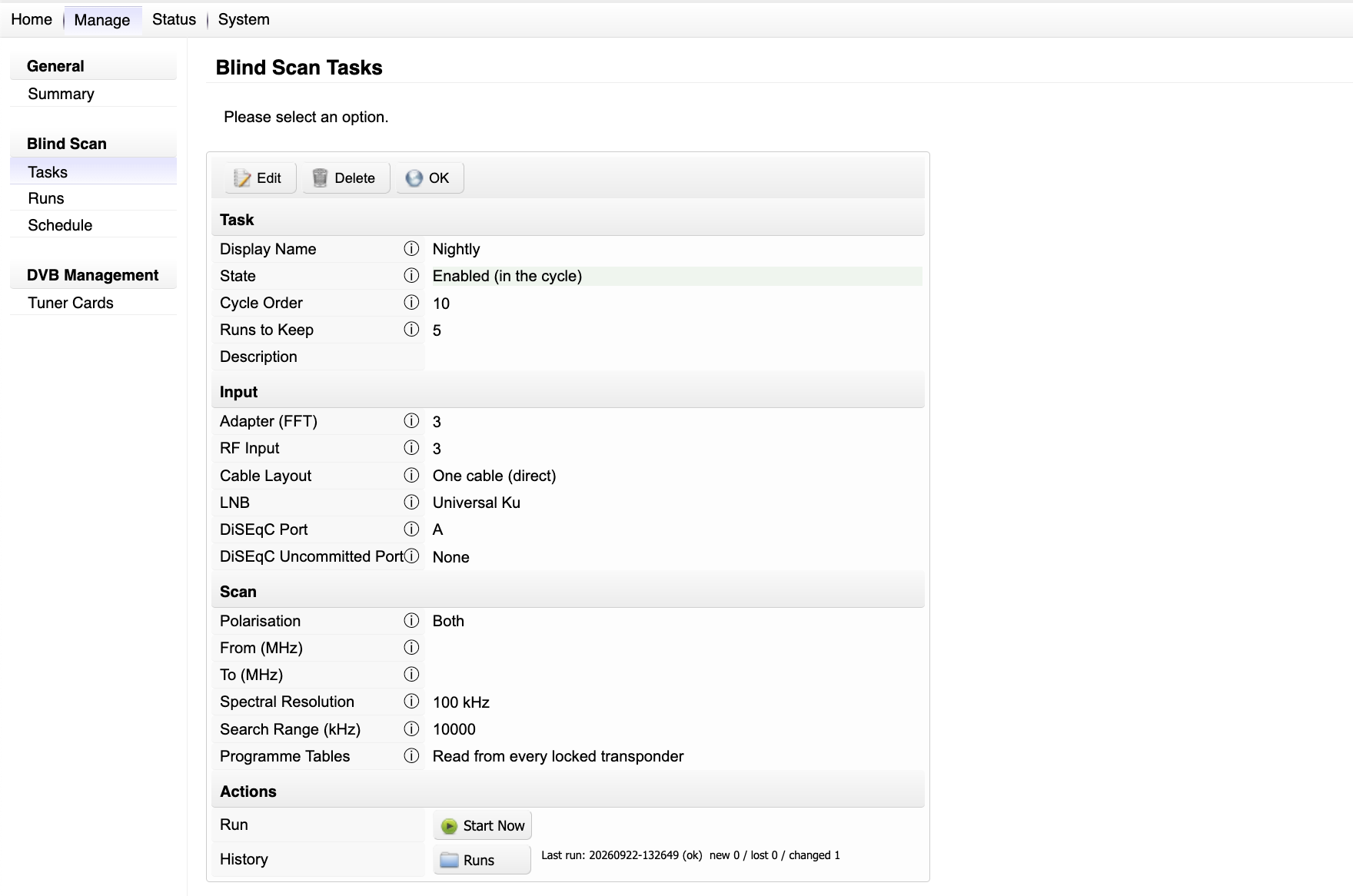
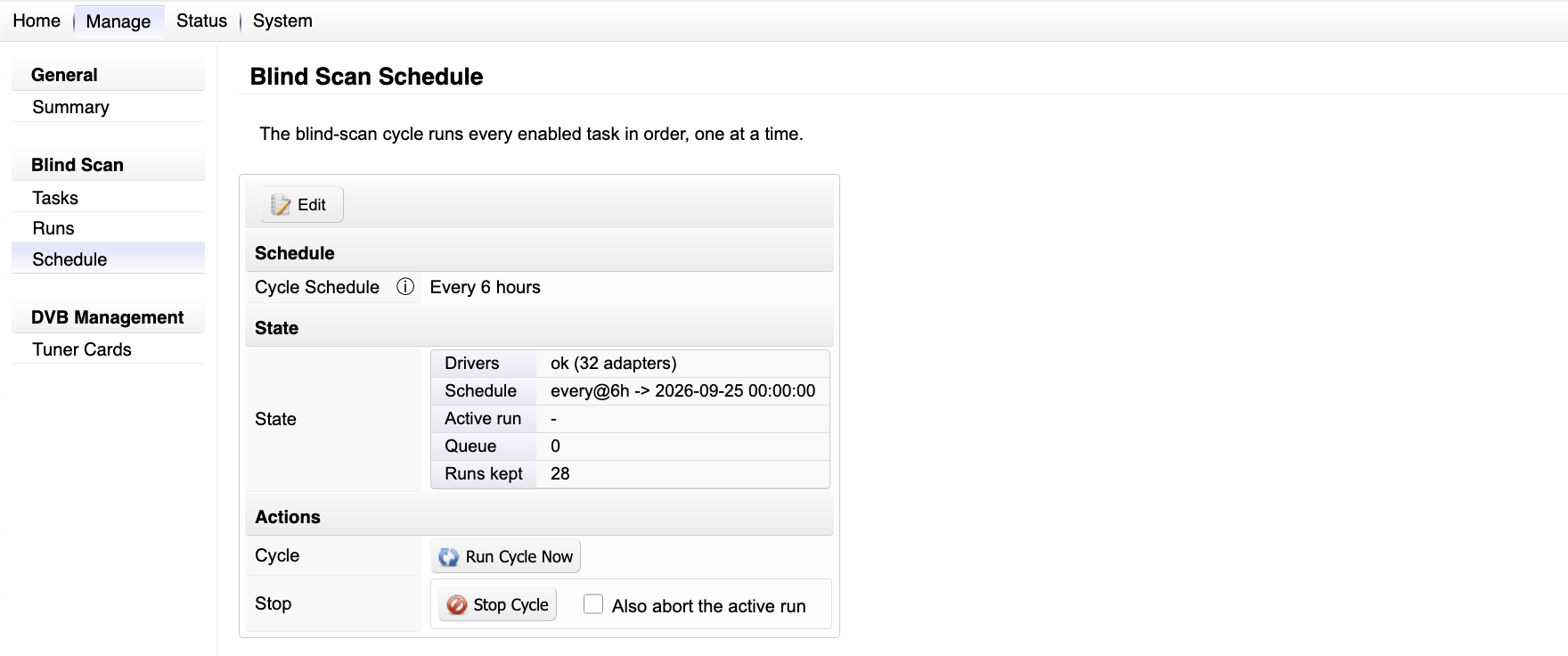
A task is a saved scan definition: which adapter and RF input, the cable layout and LNB, the DiSEqC port, the polarisations, an optional frequency window, the spectral resolution and search range, and whether programme tables are read. Tasks are ordered, and the cycle runs every enabled task in that order, one at a time, on a schedule: nightly at a given hour, every few hours, weekly, or a systemd calendar expression for anything else. A task can also be started on demand from its page, the status monitor or the API; on-demand runs queue behind whatever is running.
4. Runs and the diff
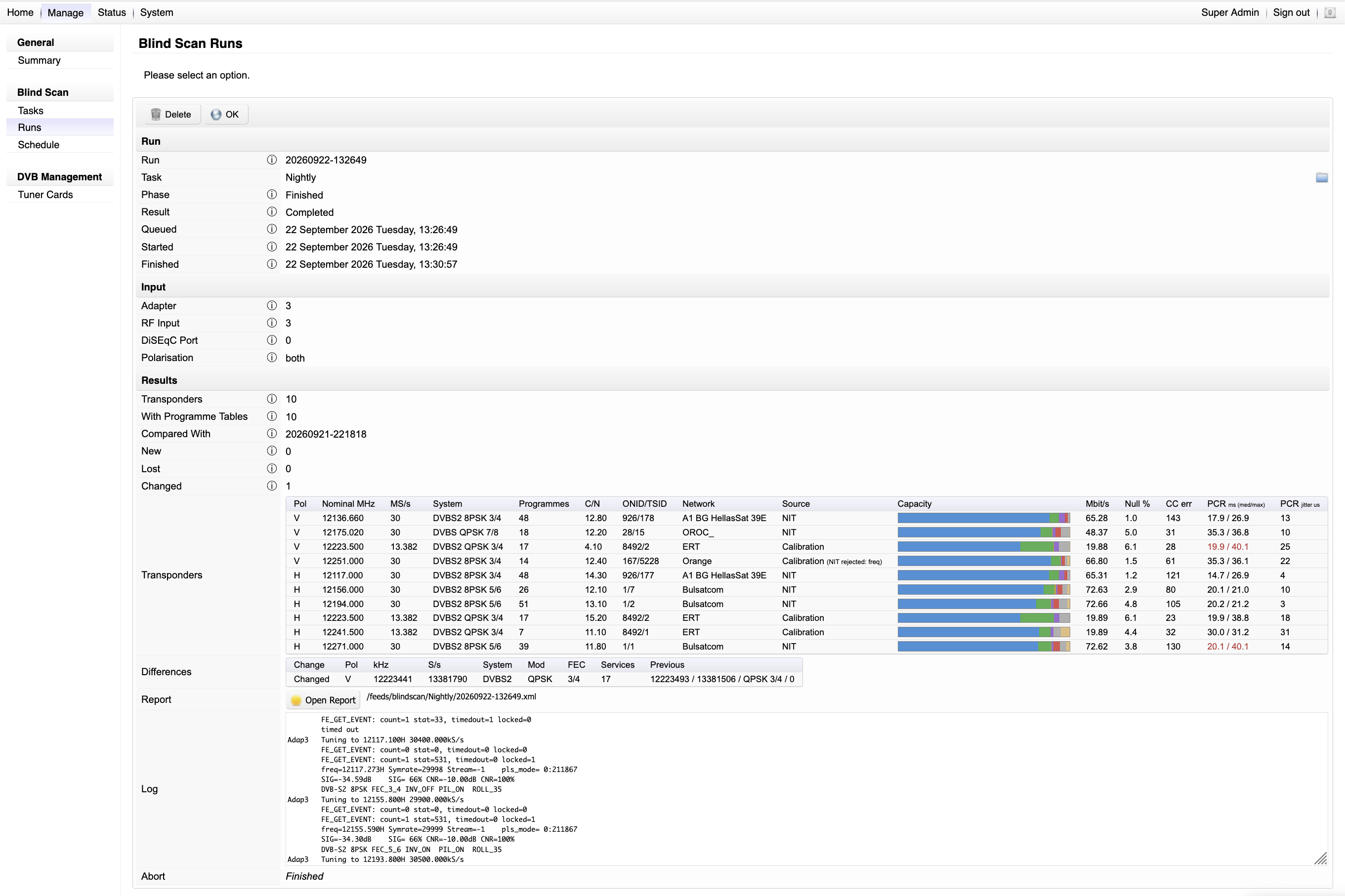
Every run keeps its report, its log and its comparison. The run page shows the transponders found with their nominal values and the source of each (the network’s NIT, calibration, or rounding), the programme count, C/N, identity and network name, and the stream figures. Below it, the differences against the previous run: each new, lost or changed transponder with its previous values. A task keeps a configurable number of runs; older ones are pruned.
5. The summary page
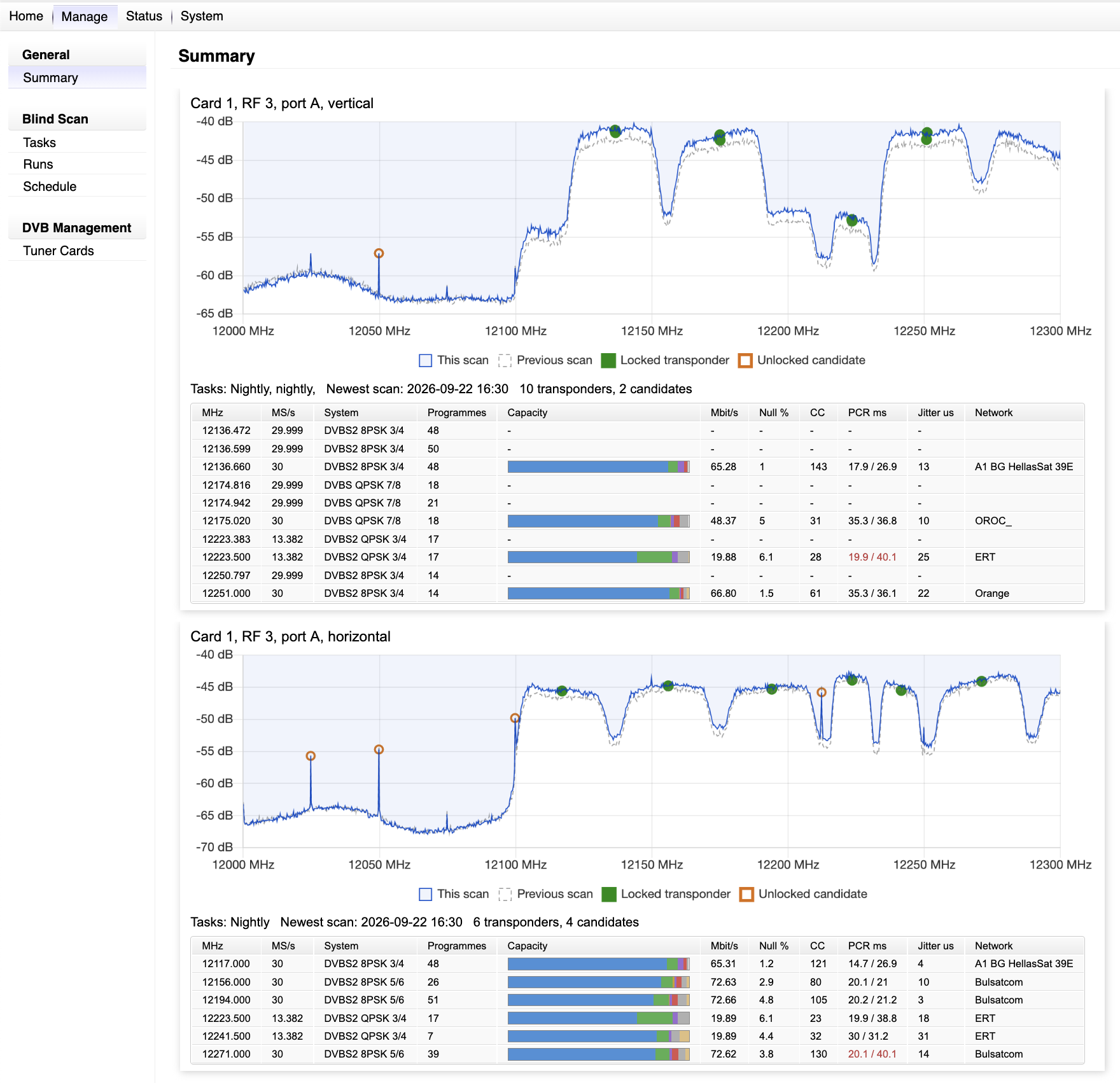
The summary draws the spectrum of every scanned input, per polarisation, with the newest run over the previous one, the locked transponders marked green and the unlocked candidates orange. Under each chart, the transponder table: nominal frequency and symbol rate, system, programmes, a capacity bar by category (video, audio, subtitles, tables, conditional access, null), bitrate, null share, continuity errors, PCR interval and jitter, and the network name. A PCR figure over its limit is shown in red.
6. The status monitor
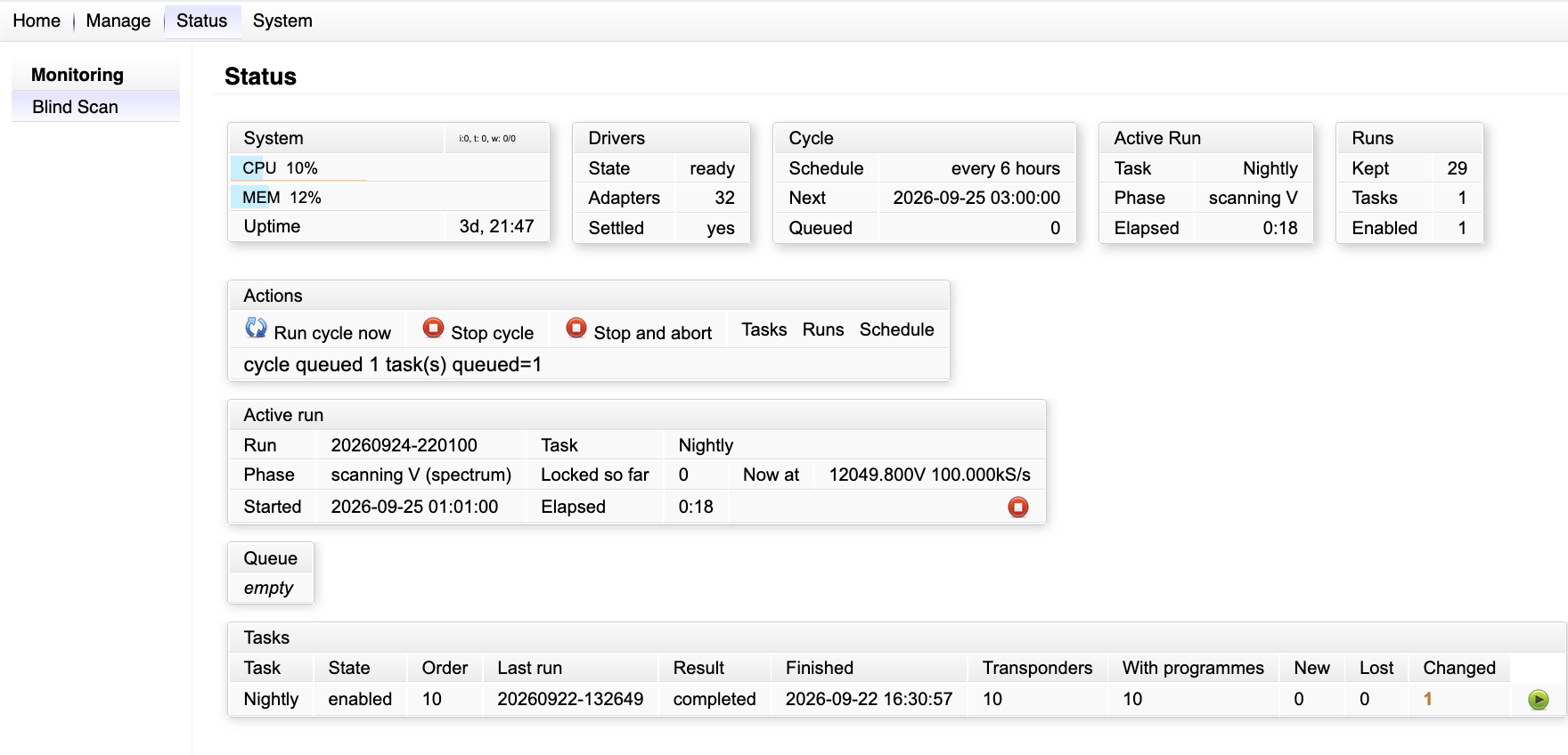
The status page shows the appliance at a glance: system load, driver state and adapters, the cycle with its next time and queue, the active run with its phase, locks so far and the frequency it is on right now, and the task table with the result of the last run and its three numbers. Actions run the cycle now, stop it, or stop it and abort the active run. The same information feeds the dashboard box on the home page.
7. Reports, feeds and the API
Every report is an XML document under the appliance’s feeds tree, feeds/blindscan/<task>/<run>.xml, with latest.xml pointing at the newest, so a script can fetch it with plain HTTP. Each transponder element carries the measured and the nominal values, the identity, the services and the stream figures; the diff block carries the comparison.
The management API v2 exposes the same through three functions: bscan (tasks, with start), bscruns (runs, with diff, tps, report, log, abort) and bscctl (schedule, state, cycle, stop). A monitoring script needs three calls: start or wait for the cycle, read the newest run’s three numbers, fetch the diff when a number is not zero. The blind-scan addendum of the API guide has worked examples with real responses.
php apicall-v2.php 192.0.2.1 $K $S bscruns "task=Nightly"
php apicall-v2.php 192.0.2.1 $K $S bscruns "act=res,diff&key=20260922-132649"
php apicall-v2.php 192.0.2.1 $K $S bscctl  "act=sres,state"
8. Requirements
- A Kylone appliance with DVB-S/S2 cards of the supported family and the appliance kernel; the scan functions come from an extended DVB driver set that the module carries per kernel and installs in place of the standard drivers, with a restart.
- The DVB Blind Scan external module, uploaded on the Third-Party External Modules page, and the DVB Carrier Monitor licence feature.
- One or more LNB inputs cabled to the cards, single cable or quattro layout, with DiSEqC where a switch sits in between.
9. Known limits
- Satellite only in this release; terrestrial and cable inputs are not scanned.
- Nominal values follow the network’s own announcement when it agrees with the measurement; a network whose NIT is stale or wrong is reported as measured, calibrated or rounded, with the source shown.
- Scrambled transponders are reported with their tables; the stream figures describe the transport, not the content.
- Runs are serial by design: one card scans at a time.